Individualization
Individualization improves Blackbaud CRM by adding the ability to convert individuals to organizations and back again, including bulk operations and custom rules.
Category: Blackbaud CRM
- After you purchase Individualization, unzip the downloaded file. Inside, you’ll find two folders: bin and browser.
- Copy both folders into the bbappfx\vroot folder on your server. Or, if you’re hosted by Blackbaud, upload the zip file itself with the Blackbaud self-service deployment tool.
- Log into Blackbaud CRM and go to Administration > Application > Catalog Browser.
- Filter for a type of Package and an author of Nonprofit Complete, and load the Individualization Package.
- To register the product, go to Administration > Nonprofit Complete > NPC License Keys, enter your license key, and click Save.
Individualization is now fully installed.
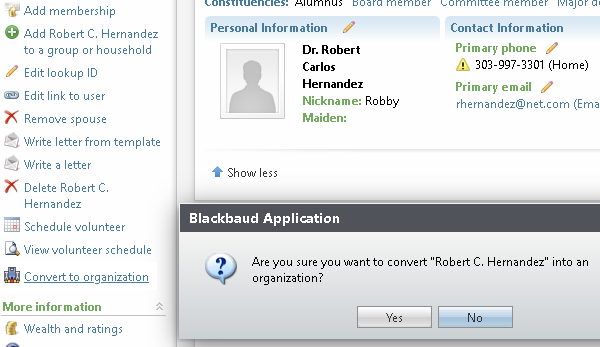
When you’re viewing an individual, a new task called Convert to organization is available on the left side of CRM. Click it and answer Yes to the prompt. The page refreshes, and the constituent is now an organization.
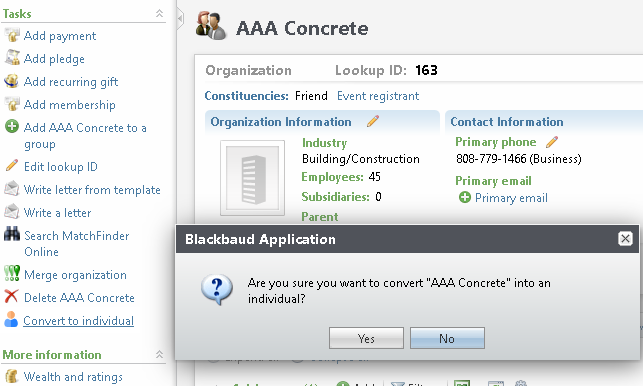
When you’re viewing an organization, a new task called Convert to individual is available on the left side of CRM. Click it and answer Yes to the prompt. The page refreshes, and the constituent is now an individual.
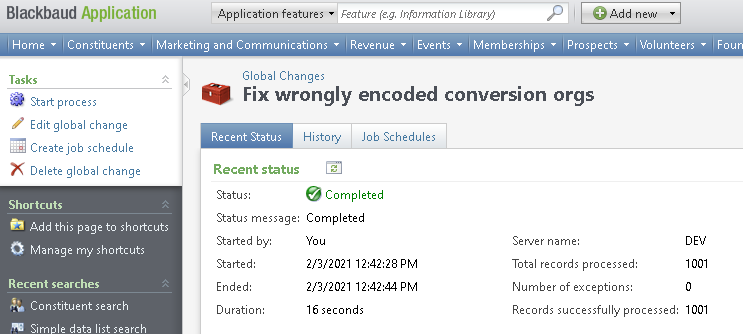
Individualization includes two global changes. One converts a selection of constituents into organizations; the other (you guessed it) does the reverse.
Constituents in the selection that are neither individuals nor organizations, such as groups, are ignored.
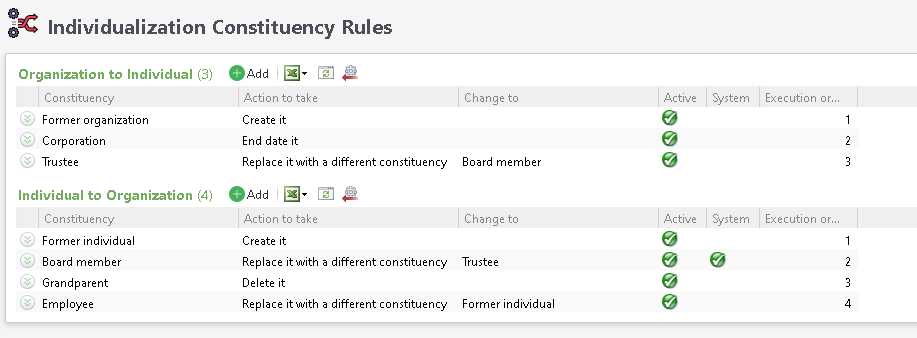
Individualization includes a configuration area for constituencies, under Administration > Nonprofit Complete > Individualization Configuration.
There, you can define what happens to constituencies when a constituent changes to an organization, or to an individual. The rules apply to one-off conversions and to bulk conversions through the global change.
The constituency is end-dated when the conversion happens, with the date of the conversion.
The constituency is created when the conversion happens, with the date of the conversion as its start date.
- If the constituency is already present and active, nothing changes.
- If it’s present but end-dated, the end date is removed.
The previous constituency is removed, and the one you choose is created in its place. For example, converted organizations with a Matching Gift Organization constituency could receive a Major Giving Prospect constituency instead.
If the constituent doesn’t have the constituency being replaced, the rule has no effect.
Blackbaud CRM has database-level constraints on the constituent ISORGANIZATION flag, which prevent organizations that have organization-specific data from being changed.
To satisfy the requirement that individuals never have organization data, that data is moved into custom tables when an organization is converted. This means a former organization can be changed back without losing anything. If you need the backed-up data directly, it’s in these two tables:
- USR_NPC_FORMERORGANIZATIONDATA
- USR_NPC_FORMERORGANIZATIONPARENTHISTORY